The editing assistant for video podcasts, built into Premiere Pro
It switches cameras from your mic tracks, cuts filler and restarted takes, finds the shorts and captions them. Every edit lands on your own timeline.
Public beta · Premiere Pro on Mac and Windows
Where the hours go on a video podcast
Following who is talking
Clicking between three cameras for the length of the episode
Cutting filler
Razor, ripple, repeat, then the guest restarts the sentence anyway
Finding the clips
Rewatching the whole show for six shorts and a trailer
Captions
Typing, timing and styling them for every vertical cut
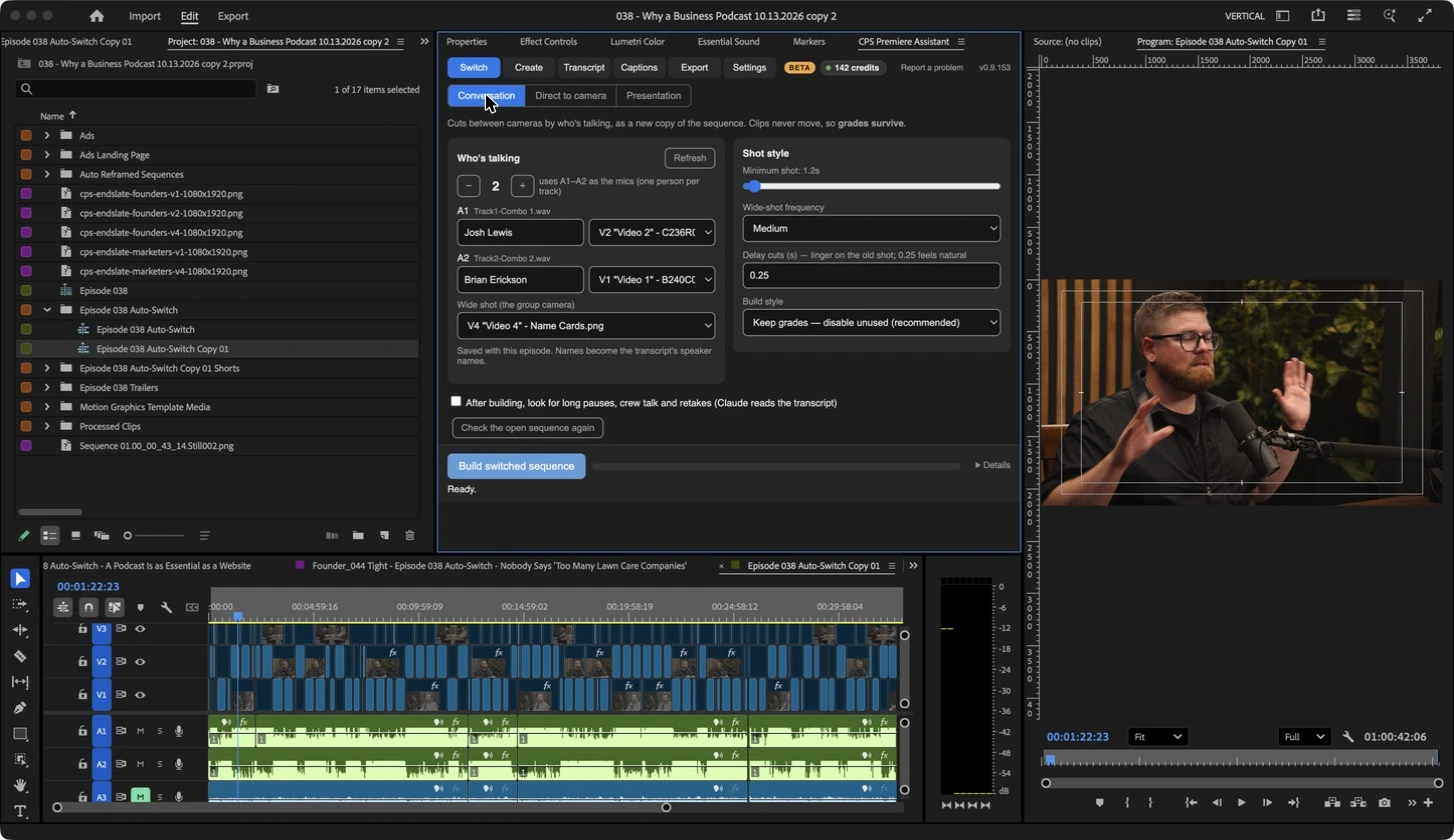
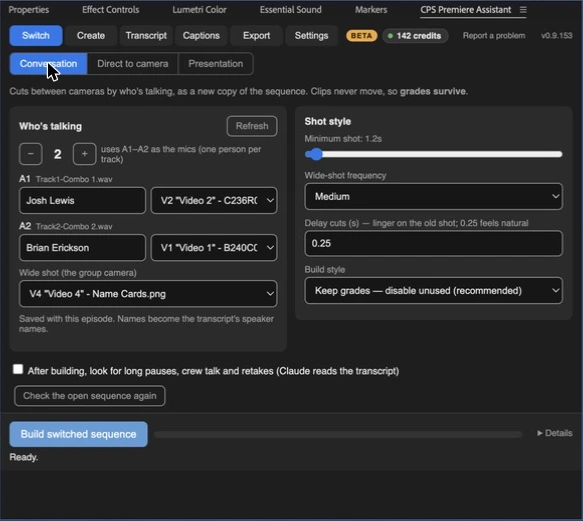
Auto-Switch follows the conversation
Point it at your multicam sequence and tell it which mic belongs to which camera. It cuts to whoever is talking, goes wide on cross-talk and leaves your intro and outro alone.
Dana · So the first studio was, um, literally my basement. We had like, uh, one mic and a ring light.
And the thing nobody tells you is that the
The thing nobody tells you is that the room matters more than the gear.
Marcus · Yeah, yeah. Ours was a closet full of coats for a year.
Tighten cuts the ums and the restarts
It reads the transcript, flags filler words, dead air and sentences a guest started twice, and shows you every cut before it touches the timeline.
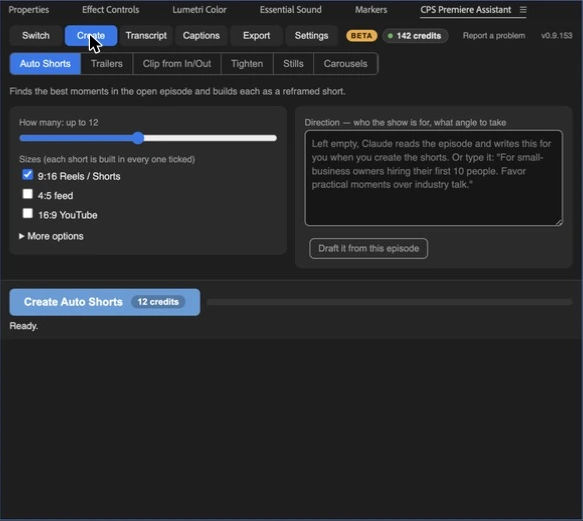
Shorts and trailers, found for you
Auto Shorts picks the moments worth posting and builds the vertical clips. Trailers pulls the strongest lines into a cold open.
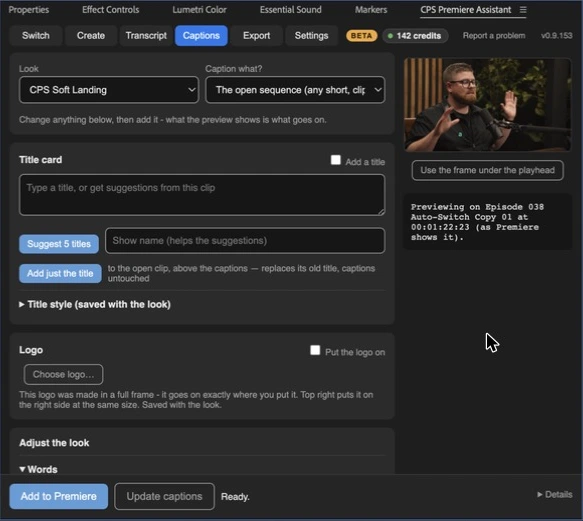
Captions in your show’s look
Word-timed captions with your titles and the show logo in the corner, ready for every vertical cut.
Local transcription
Runs on your own computer. Click a line to jump to it.
Retake detection
Keeps the clean take when someone says it twice.
Finishing checks
Catches gaps and loose ends before delivery.
Batch export
Every version of the episode out in one go.
Set up in a few minutes
Install the panel
One installer for Mac or Windows. Open it from Window › Extensions in Premiere Pro.
Open your episode
Pick the multicam sequence and match each mic track to its camera.
Run, review, adjust
Every cut is a normal edit, so you can change anything by hand.
Pay for the episodes you edit
Every button in the panel shows its credit price before you run it. A typical episode uses about 30 credits. Beta pricing stays locked for early accounts.
Pro · early features
$[PRICE] a month
[N] credits a month on 2 computers, with new tools before anyone else
Choose ProStudio
$[PRICE] a month
[N] credits a month on 5 computers, with team seats and faster bug replies
Choose StudioCredits per run
Episodes over 90 minutes cost 1.5 times as much
Built in a working podcast studio
Podcast Editing Assistant started as the in-house tool at Cincinnati Podcast Studio, where it edits client shows every week. It is in public beta now, so expect frequent updates and the odd bug. Report one from inside the panel and we fix it.
What do I need to run it?
Adobe Premiere Pro [version] or newer on a Mac or Windows computer.
How do credits work?
Every button shows its fixed credit price before you run it. A typical episode uses about 30 credits, and episodes over 90 minutes cost 1.5 times as much. [What happens to unused credits at renewal.]
Does it change my footage?
No. Every cut lands on your Premiere timeline as a normal edit, so you can undo or adjust anything by hand.
Why is it in beta?
The tools edit real shows every week, but they are new to other studios’ setups. Beta accounts get early pricing and a direct line for feedback.
Can I cancel anytime?
Yes, from your account. [What happens to unused credits.]